International/National Groups
Left-hand Navigation: Admin » International/National Groups
This article will briefly explain what International/National Groups are and how you can add/edit/deactivate them.
International/National Groups - Displays the internal hierarchy for the organization. The hierarchy is typically set during conversion, but the organization may make edits to it at any time. You can View the Group Listing, which shows a listing of all groups and subgroups.
Add
-
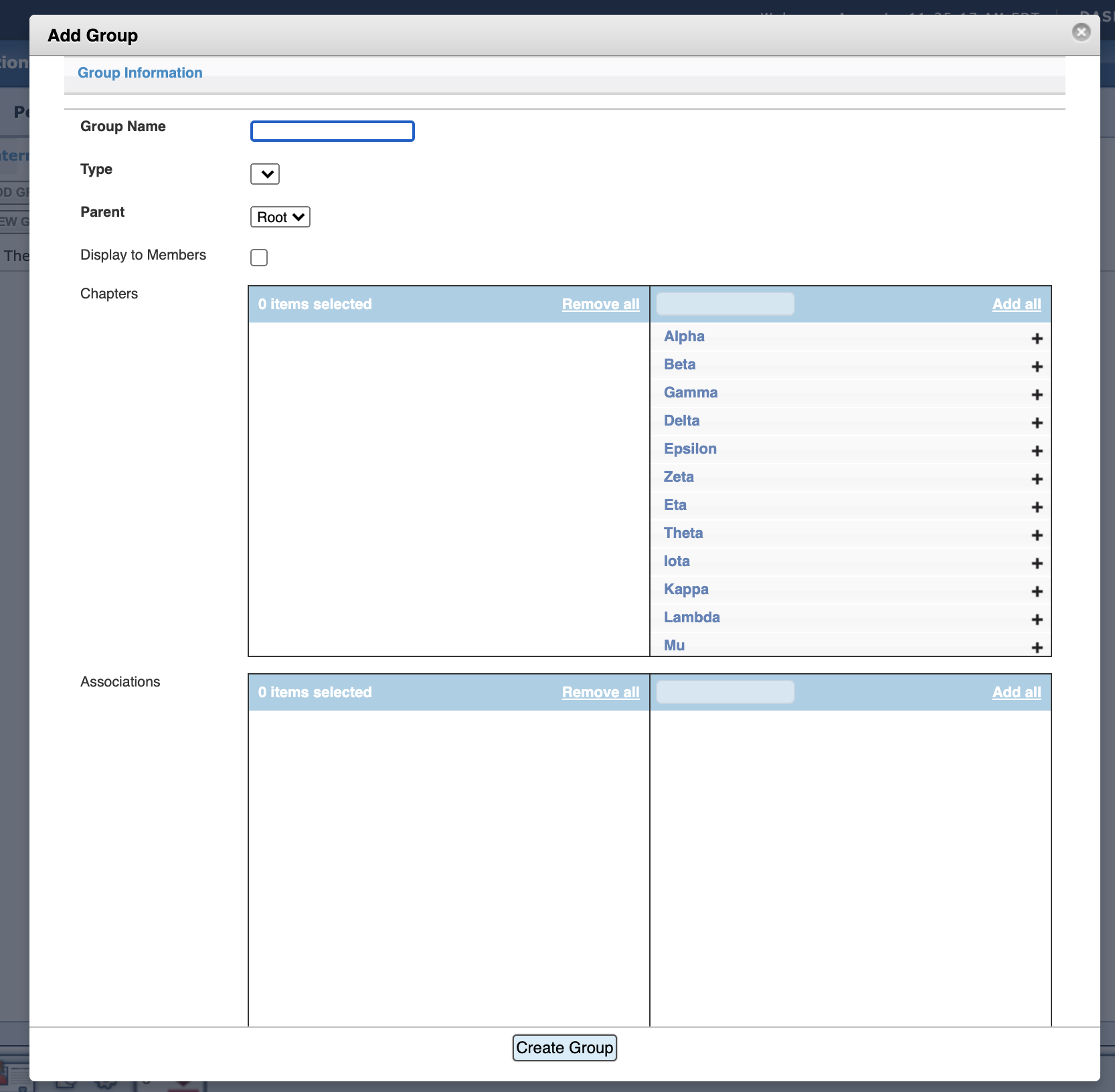
Group Name – Enter a name for the Group
-
Type – Choose from "drop-down"
-
Choose a Parent for this Group to fall under
-
Add Chapters and Associations - if needed
Edit
Note - If a "Group Name" in the hierarchy needs to be edited, it is best practice to create a new "Group Name" and then deactivate the old "Group Name" for historical safekeeping.
- Click "View Group Listing" or right-click on the appropriate Group
- Click "Edit Group" or right-click on the appropriate Group
Click Edit Group or Right Click on Group in question
Deactivate
-
Click "View Group Listing" or right-click on the appropriate Group
-
Click "Deactivate" or right-click on the appropriate Group
Related Articles:
- Adding/Editing International Group Offices
- Managing International Group Types
- Managing your International Address Types
- Managing International Report Types